FEA simulation, right in the browser
Import CAD geometry in STEP, IGES or Parasolid — no heavy workstation software, no waiting on floating licenses.
- ✓Early access
- ✓Lifetime discount
- ✓Priority feature voting
Test WebCAE on real CAD models, share feedback, and help shape the solver roadmap.
Everything you need for structural analysis
WebCAE covers the full loop — from CAD import to a shareable report — inside a single browser tab.
Any CAD format
STEP, IGES, Parasolid and native exports from SolidWorks, Fusion 360 and Inventor.
Adaptive meshing
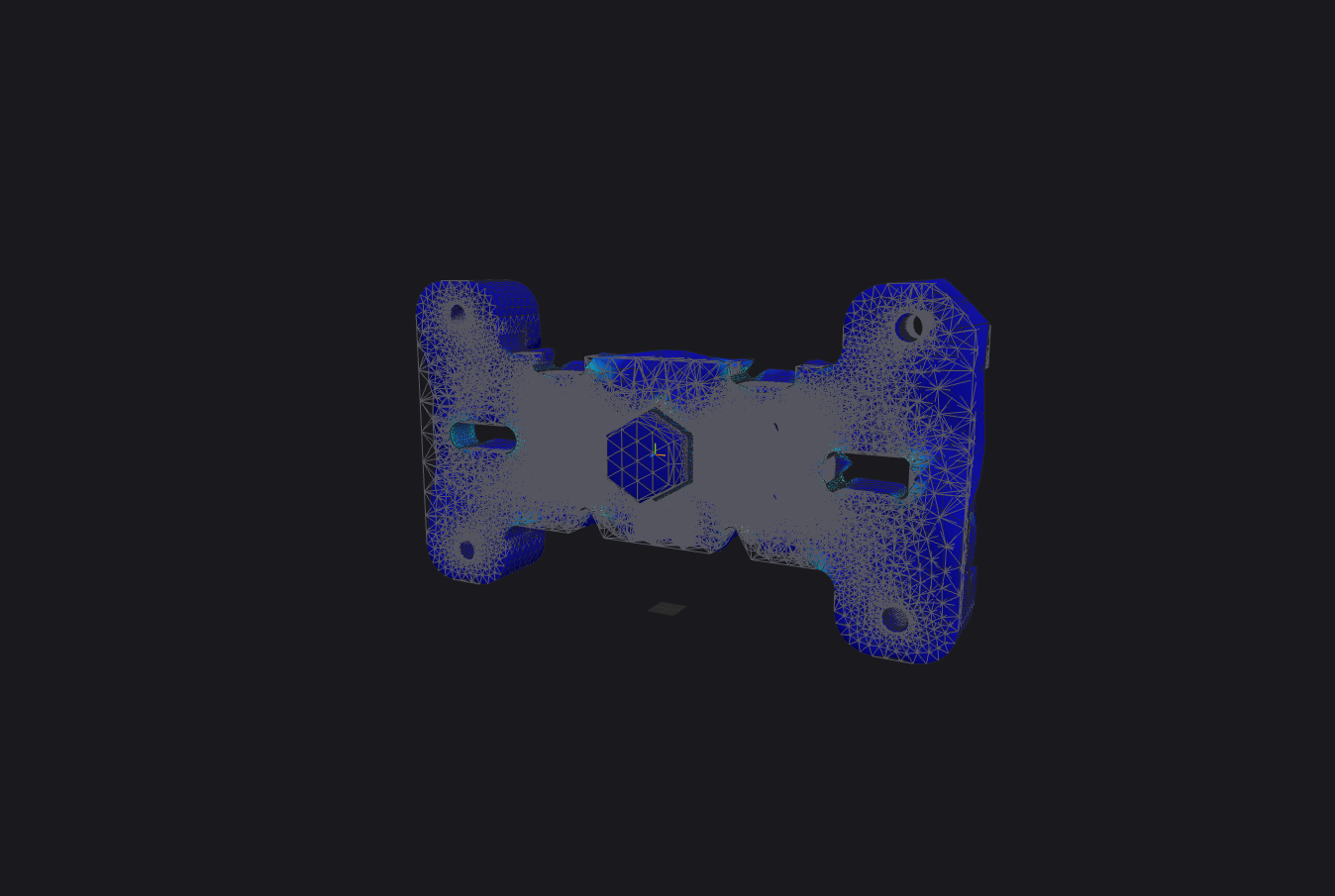
Automatic tetrahedral mesh with local refinement at fillets, holes and thin walls.
Linear & modal analysis
Static structural, modal frequency and thermal-stress studies out of the box.
Runs on your device
Simulations run right in your browser, on your own hardware — nothing to install, nothing to license.
Team collaboration
Share a project link, comment on a result, keep a full version history per study.
API & CI/CD
Trigger automated design checks from your pipeline with the WebCAE REST API.
From geometry to result in four steps
The same pipeline you just saw above — laid out plainly.
- 01
Import geometry
Drag in a CAD file — WebCAE reads dimensions and topology automatically.
- 02
Generate mesh
An adaptive finite-element mesh is built in the browser, no plugins required.
- 03
Set loads
Click on faces or edges to apply forces, pressures and fixed constraints.
- 04
Get results
Read stress, deformation and safety factor, then export a PDF report.
What WebCAE can do right now
The list below is shipped functionality, not promises — everything here can be tried today.
Linear analysis
Linear structural problems, solved end-to-end.
1st and 2nd order tetrahedra
Mesh refinement with spheres of influence
Semi-automatic result-driven refinement
Adaptive mesh refinement at stress hot spots found by the previous run.
Contacts
Remote forces and moments, RBE2
Web build and desktop build
The web build handles roughly 200–300k DOF. The desktop build ships the same functionality and UI with no limits — cross-platform, Windows and macOS.
Missing a capability you need? Suggest a feature
What we're building next
Built in the open — this is what's in progress right now and what comes next.
August 2026
In progressCAD improvements: sketches, extruding entities and sketches
Stress-testing solvers and preconditioners across problem types — assemblies with contacts and ties, up to 1M second-order tetrahedra; solver optimization and speed-ups
MCP improvements and a guide library (CAD, CAE) for Claude Code and Codex
WebCAE 101 — a training course, to be published on this site
September 2026
Beams and shells, linear analyses
Multi-layer laminates
Hex elements, 1st and 2nd order
possiblyTopology optimization
possibly
Missing something on this roadmap? Suggest a feature
Latest from WebCAE
Product updates, roadmap plans and worked examples — as they happen.
Free during Early Access
No paid plans are live yet. While WebCAE is in Early Access, the full solver is free — early users lock in these rates for life once paid plans ship.
Free
Full solver access while WebCAE is in Early Access.
- ✓Unlimited projects during Early Access
- ✓Up to ~100k DoF in-browser
- ✓Community support
Pro
For practicing engineers and small teams. Pricing isn't finalized yet — Early Access members will lock in a discount for life once it is.
- ✓Unlimited projects
- ✓Up to 2M mesh elements
- ✓Email support
Enterprise
For engineering departments with compliance needs.
- ✓On-prem / VPC deployment
- ✓SSO & audit log
- ✓SLA & named engineer
Get early access — free, right now
- ✓Early access
- ✓Lifetime discount
- ✓Priority feature voting
Join the WebCAE engineering community
We are looking for engineers to test browser-based FEA on real STEP, IGES, and Parasolid models. Bring your CAD files, edge cases, bug reports, and feature requests.
- ✓Get Early Access updates
- ✓Share real simulation cases
- ✓Report bugs with reproducible models
- ✓Vote on solver and workflow priorities
Questions engineers ask us
Which CAD formats can I import?+
STEP, IGES and Parasolid directly, plus native SolidWorks, Fusion 360 and Inventor files via our converters.
Do I need to install anything?+
No. Geometry import, meshing, solving and post-processing all run right in the browser, on your own device.
What analysis types are supported?+
Linear static structural, modal (natural frequency) and steady-state thermal-stress today, with nonlinear and fatigue on the roadmap.
Is my model data secure?+
Projects are encrypted at rest and in transit and are only visible to your team. Enterprise plans support VPC or on-prem deployment.
Can I export results?+
Yes — export a PDF report, raw mesh/result files, or pull results into your pipeline via the API.
Talk to the WebCAE team
Tell us about your project or ask for a demo — we usually reply within a business day.